
Backbeat Lab · 02 · PadBrain
Built for drumming live
PadBrain is a free iPhone, iPad and Mac app for drummers: prepare the gig on your Mac from a folder of tracks, then play it live with backing tracks to the house, the click in your in-ears and pads on cue.
ONE-CLICK SETUP
Prep the whole gig in one go
One-click setup
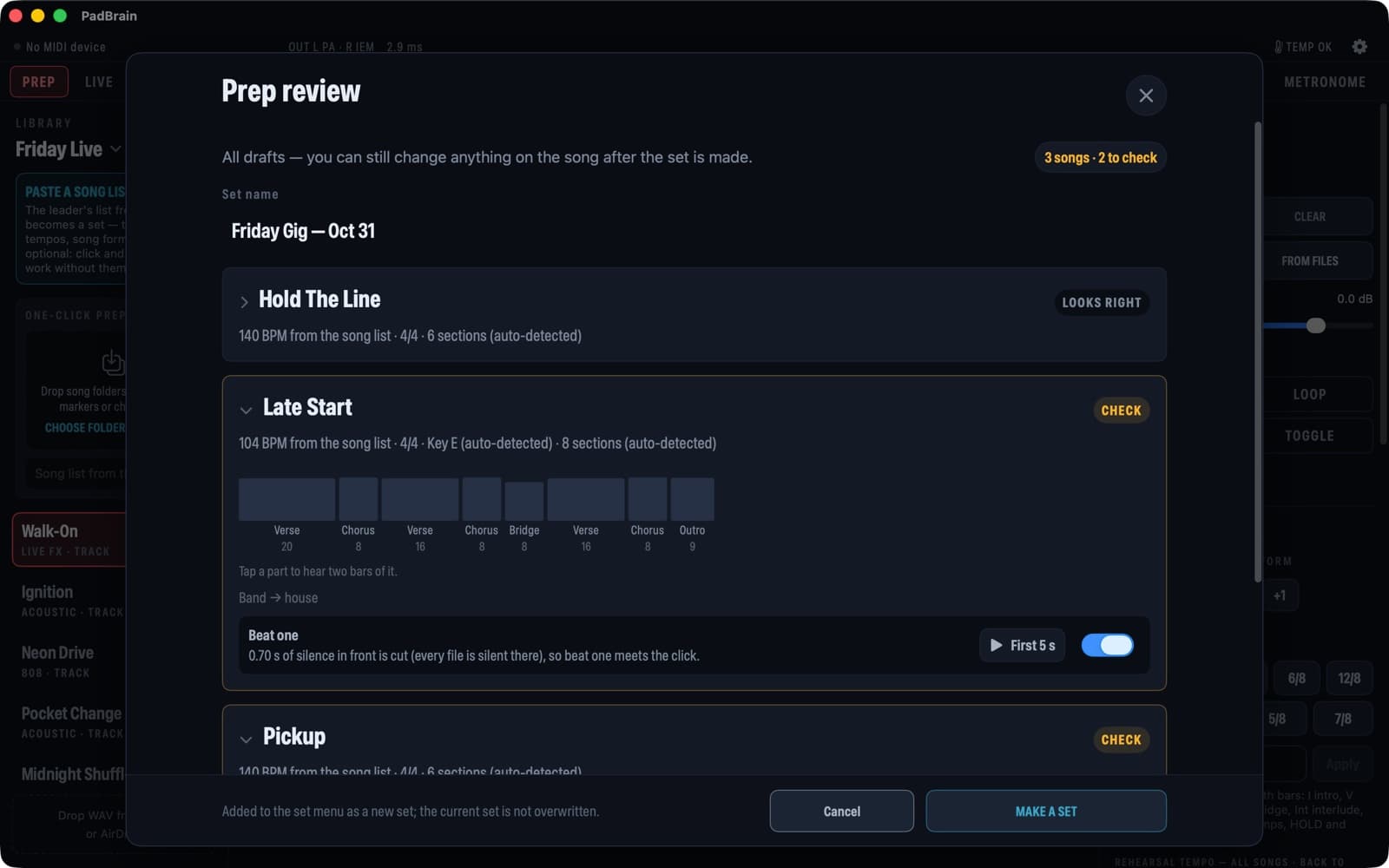
Drop the gig folder on your Mac and get a set with every song’s tempo, meter, sections and beat one, and every stem sent to your ears, the house or muted — tracks or stems, MIDI markers, chord charts and the song list, as they are.
✨ One-click AI setup
AI checks the whole set: it pairs files with songs even when the names are a mess, finds the leader’s playing notes in a group chat and puts them on the songs, and tells you what to check in plain words. The rehearsal check that comes with it finds where the click and the track drift apart before the show, and fixes it in one tap. Zips, chat exports and photos or PDFs of chord charts go in as they are.
AI help can be switched off; the rehearsal check and the new file types work without it. Your audio never leaves your Mac.
Prep the whole gig on your Mac. Drop the gig folder — tracks or stems, MIDI markers, chord charts, the song list — and get a draft set: each song's tempo, meter, sections and beat one, each stem sent to your ears, the house or muted. With a click track it reads tempo changes and odd meters too. Check it, make the set, AirDrop it to your phone. No DAW, no other app, nothing leaves your Mac.
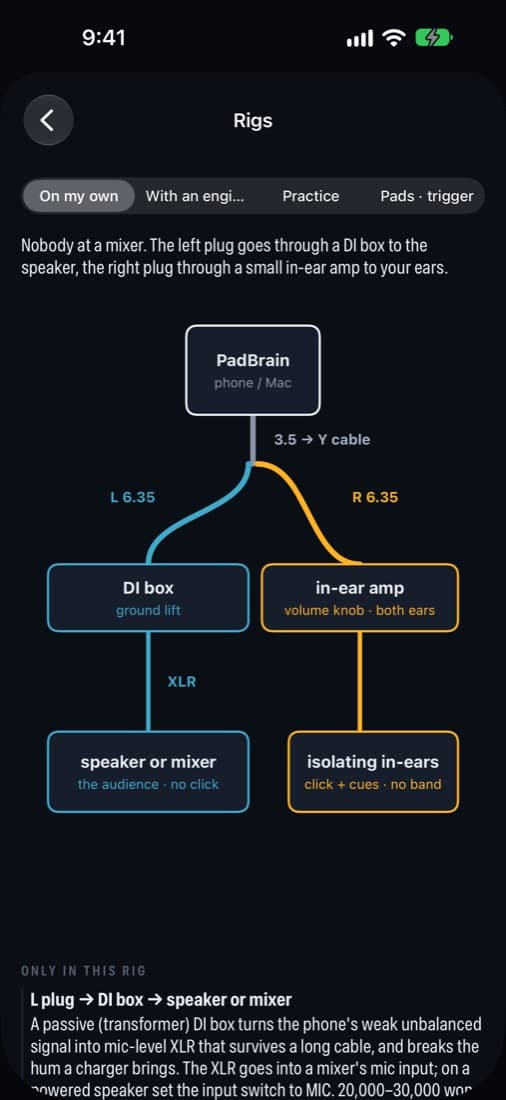
Then PadBrain puts your backing tracks, your click and your pad sounds on one iPhone, iPad or Mac. One splitter cable from the phone's audio out: left to the house (tracks and pads), right to your in-ears (click and spoken cues) — the audience never hears the click. For small gigs, college shows, worship teams, rehearsals and lessons, without a laptop rig or an expensive sample pad.
In motion
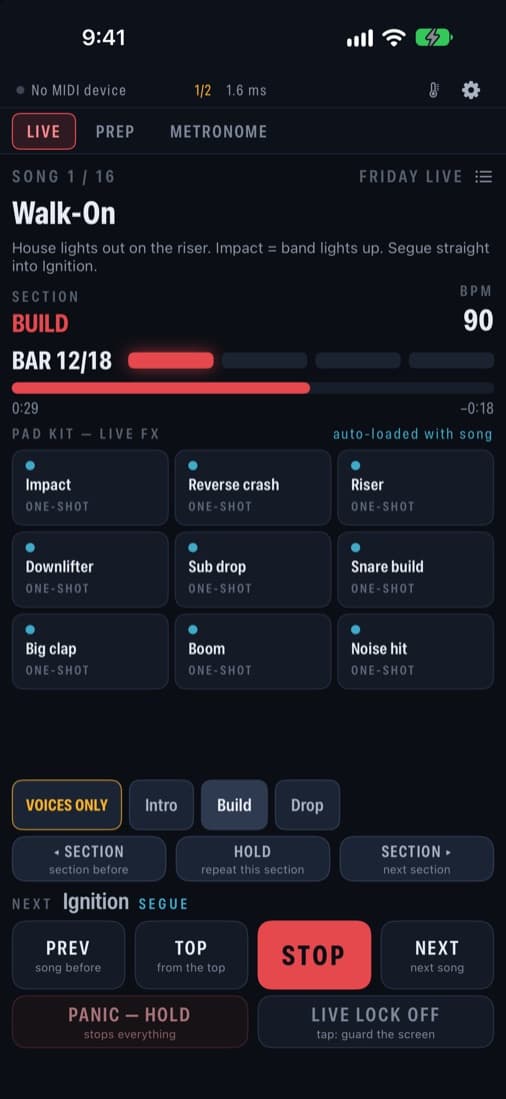
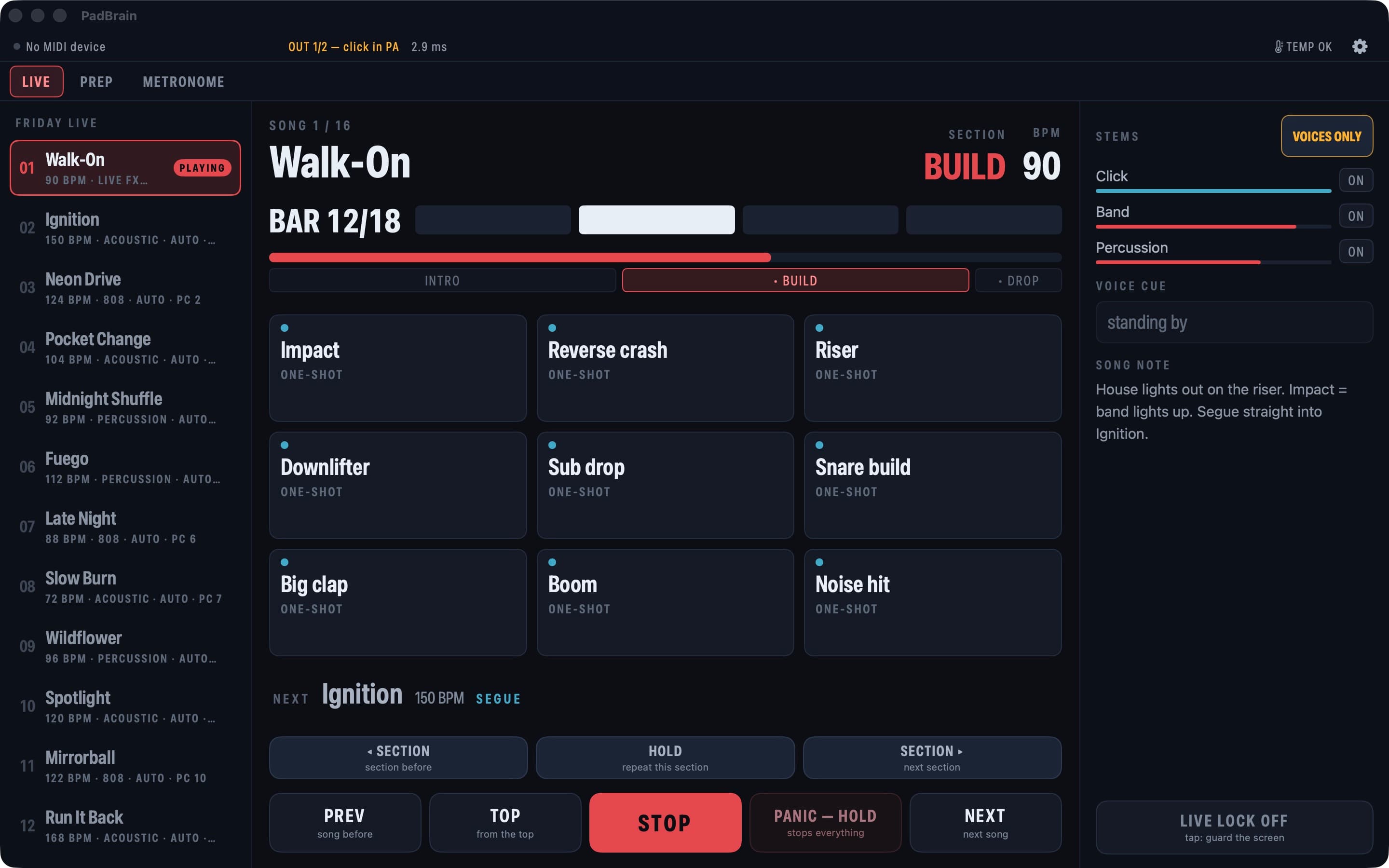
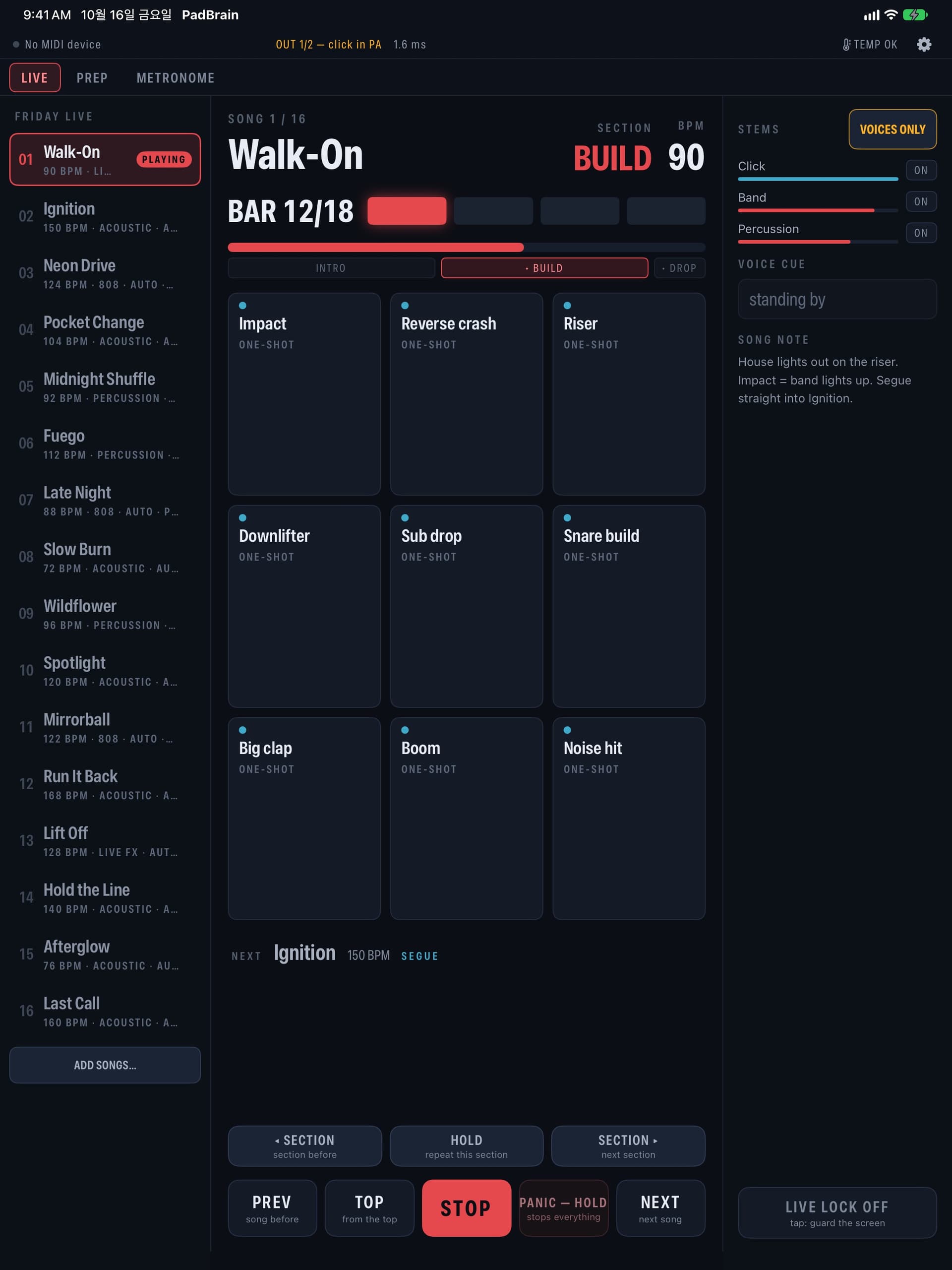
A song under way: tap Chorus and it goes there on the next bar line; Voices only fades the band out and back; HOLD repeats the section until you let go. The next section and the bars left sit beside the section name.
On stage
- Tracks and click on one clock. Tap a section — Chorus, Bridge — and the song goes there on the next bar line; tap the one you are in to play it again.
- Voices only: one tap fades the band out and keeps your click and pads. HOLD repeats a section until you let go.
- Songs stop at their end or run into the next one on the beat. PANIC (hold), LIVE LOCK (tap to lock, hold to unlock), foot switches and page-turner pedals.
- Screen locked, home pressed: the tracks and the click go on. A lost cable silences everything until you send the sound back out.
- Spoken cues in your in-ears — in English, Korean, Spanish, Portuguese or French; other languages hear English.
Pads
- A kit per song, nine pads: real recorded acoustic, 808, percussion and FX kits.
- Plug in a USB MIDI pad, drum module or trigger and play — around 10 ms.
- Record one drum struck soft to loud and it becomes a pad with up to eight dynamics.
- Pads that fire by themselves on a section's first beat — a crash on the chorus.
Prep
- On the Mac: drop the gig folder on one-click prep for a draft set — tempo, meter, sections, beat one, and where each stem goes. Tempo maps and odd meters from a click track or a MIDI file.
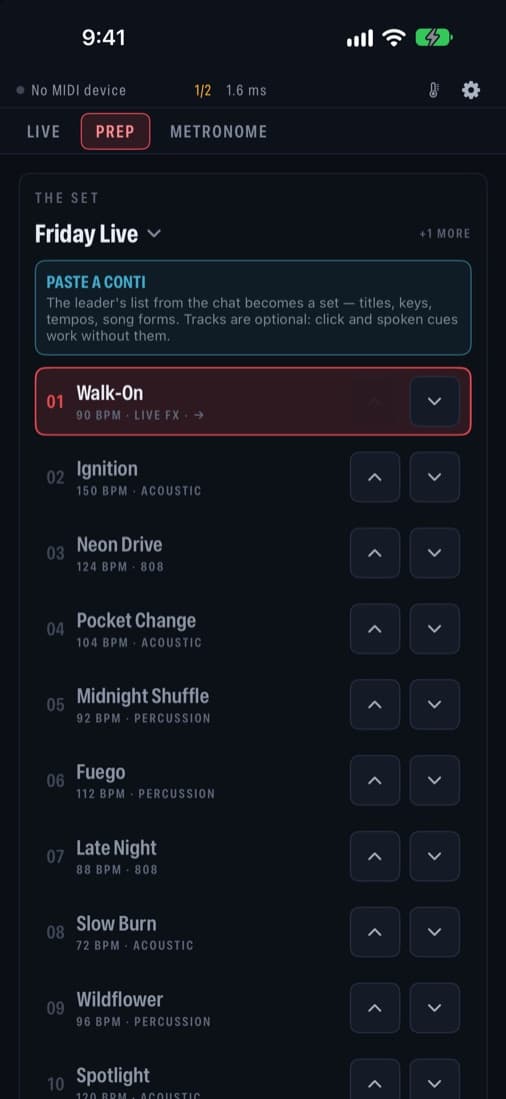
- Paste the set list your leader sent: titles, keys, tempos, meters and song forms become a set — written in your language too. Backing tracks are optional — the click and spoken cues carry a song on their own.
- Share tracks from mail, a chat or AirDrop; a file named like a song attaches to it, and the app listens for the tempo and sections.
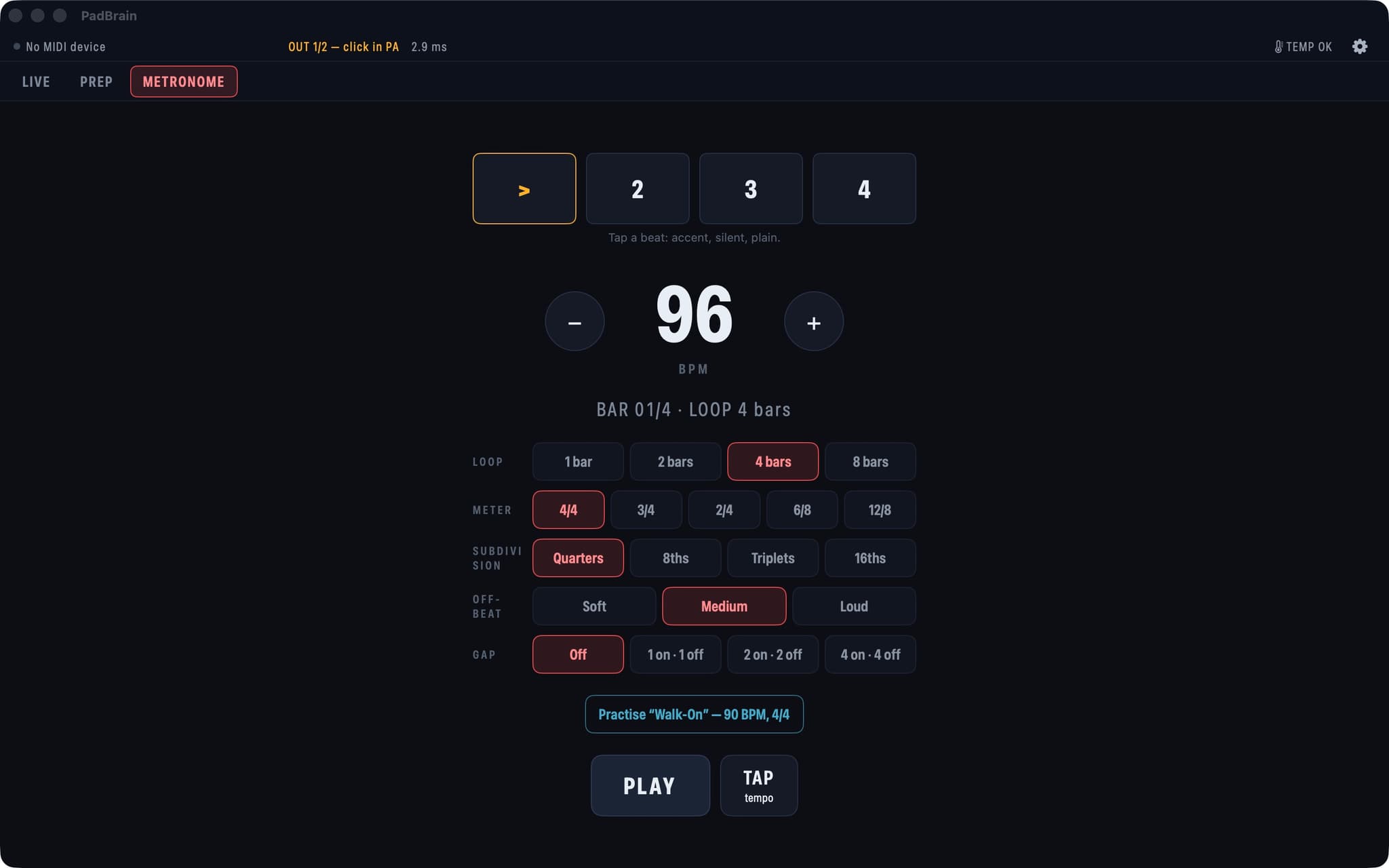
- Rehearsal tempo 50–150%: track, click and sections together, pitch unchanged. A metronome with odd meters, accents, muted beats and gap click.
iPad and Mac — the same stage
Questions
Is PadBrain free?
Yes. Every feature is free, with no ads, no account and no data collected.
Which devices does it run on?
iPhone, iPad and Mac, from the App Store. One-click prep runs on the Mac.
Which languages does it speak?
The app is in English, Korean, Japanese, Spanish, Portuguese (Brazil), German, French, Chinese (Simplified) and Italian, and follows your device's language. Spoken cues are in English, Korean, Spanish, Portuguese and French; other languages hear English.
How do I send the click only to my in-ears and the band to the house?
One splitter cable — a 3.5 mm stereo plug into two mono plugs marked L and R. Choose L PA · R IEM in the settings: the left side carries the backing track and pads for the house, the right side the click and spoken cues for your in-ears.
Can I prepare a gig without a DAW?
Yes. On the Mac, drop the gig folder (tracks or stems, MIDI markers, chord charts, the song list) on one-click prep and get a draft set with each song's tempo, meter, sections and beat one, and each stem sent to your ears, the house or muted. Listen on the review, then make the set.
What if I only have a mixed track with drums in it?
The Mac can reduce or remove the drums. It is for practice and backup; for the show, multitracks are the sure thing.
Does it need the internet or an account?
No. It works offline, there is no account, and your files are processed only on your device.
Every feature is free. No ads, no account, no data collected, and it works offline. Get it on the App Store · How to wire it · Tell us what you need
FEEDBACK
Tell us what you need
Ideas, questions, bug reports — every message is read and answered. →