PadBrain · by drummer
PadBrain for your kind of gig
Every drummer plays somewhere different and practises differently. Cover bands, wedding and party bands, drummers at home, teachers and students — what gets hard in each case, and how PadBrain helps.
Which drummer are you?
1. The cover band drummer
Lots of songs, short rehearsals. Synths and backing vocals on tracks, you on the click.
2. The wedding and party band drummer
Medleys, requests on the spot, gaps between speeches. A stage that can’t stop.
3. The drummer practising at home on an e-drum
You want to play along with your favourite songs, but they already have drums.
4. The drum teacher and the student
The practice set the teacher makes, straight onto the student’s phone.
One gig, start to finish
- 1
Get the set
The band’s song list and the backing tracks or stems. Paste the list and keys, BPM and form are read too.
- 2
Prepare
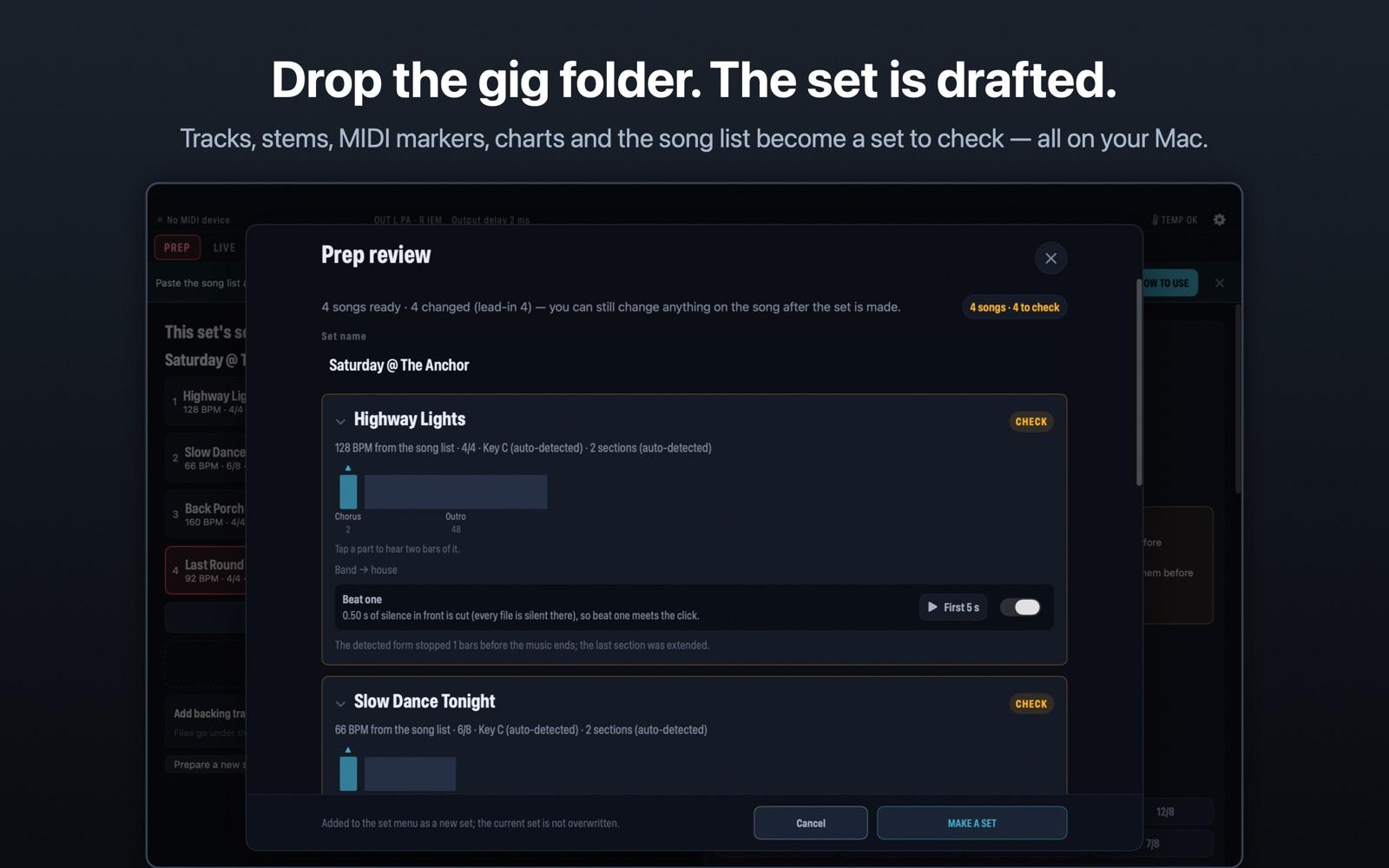
Paste the list and add the tracks, and one-click prep makes the set — on the Mac and, from 1.0.13, on the iPhone and iPad. On the Mac you can drop the whole gig folder.
- 3
Rehearse
Slow it down with the rehearsal tempo, and run Soundcheck to make sure the house and your ears are split right.
- 4
Play
Tracks to the house, click in your ears. Section buttons, HOLD, SYNC — and LIVE LOCK.
Twenty songs a night in bars and clubs
1. The cover band drummer
You play twenty-plus songs a night in bars, clubs and festivals. The sounds nobody plays live — synths, backing vocals, effects — run from backing tracks, and you lock to the click.
What gets hard
- ·So many songs: matching each one’s track, tempo and form takes time.
- ·When a solo or the crowd stretches a section, the track can’t follow.
- ·Songs often have to run straight into each other.
- ·The wiring changes every night — with an engineer, without one.
With PadBrain
- ·Paste the song list, or drop the gig folder on the Mac, and get a set with every song’s tempo, meter and sections.
- ·HOLD repeats the section you’re in until you press it again — the track waits through a long solo.
- ·Set a song’s end to INTO NEXT and the next song starts right on the beat.
- ·Put claps or effects on the pads, and step through next song or next section with a foot switch.
Wiring With an engineer: a Y cable or an audio interface, left to the house, right to your ears. On your own: start with one USB‑C splitter cable.
Weddings, parties, events
2. The wedding and party band drummer
You play weddings, parties and corporate events. Medleys run several songs together, requests change the order, and between speeches and toasts you wait quietly.
What gets hard
- ·Tempo and meter change inside a medley — a waltz in 3/4, a two-beat dance.
- ·A request comes in and the order has to change now.
- ·Long silences between speeches and toasts.
- ·One mistake ends up in the wedding video.
With PadBrain
- ·One-click prep hears medleys with several tempos, waltzes in 3/4 and two-beat dances, and a tempo map keeps them right to the end.
- ·Stopped, tap the song count at the top to see the whole set and tap a song to go straight to it.
- ·An ambient pad in the song’s key fills the time between speeches and songs.
- ·LIVE LOCK guards against mistakes; if you get lost, TOP starts the song again on the bar line.
Wiring With the event’s sound crew: split the house and your in-ears with an audio interface or a Y cable. The pre-show check tells you when you’re Ready.
At home on an e-drum
3. The drummer practising at home on an e-drum
You practise on an electronic kit at home after work or at weekends. You want to play along with songs you love, and to work on holding a steady tempo.
What gets hard
- ·The original recording has drums, which clash with yours.
- ·The original tempo is too fast to follow yet.
- ·On your own, it’s hard to tell if your tempo wobbles.
With PadBrain
- ·On the Mac, turn on Reduce drums in a one-file song to take the drums out of a song and practise to what’s left.
- ·Rehearsal tempo from 50% to 150% — track and click slow down together, at the same pitch.
- ·HOLD repeats the section you are in until you press it again. From 1.0.13, the module’s hi-hat pedal closes the hat and grabbing a cymbal chokes it.
- ·Connect the e-drum module over USB and tie screen pads to real pads with MIDI LEARN.
Wiring The module over USB to the iPhone, iPad or Mac, wired earphones. Output: SAME BOTH SIDES.
Lesson rooms and drum schools
4. The drum teacher and the student
In lessons you teach songs and practice patterns, and the student practises the same songs at home. Every student has their own pace and tempo.
What gets hard
- ·Sending each student the tracks, tempos and forms one by one.
- ·Each student needs a different practice tempo.
- ·Meters like 5/4 or 7/8 are hard to feel from an explanation.
- ·Students don’t want to buy a paid app.
With PadBrain
- ·The teacher makes the set and sends it with MAKE A BACKUP… → AirDrop or a message; songs, kits and sounds arrive on the student’s phone as they are.
- ·The student practises at their own speed with the rehearsal tempo, 50% to 150%.
- ·Odd meters like 5/4 and 7/8 are read from a click track, groupings included, and the song’s click plays them.
- ·Every feature free, no ads, no account — easy for students too.
Wiring In the lesson room: a Y cable, left to the speaker (tracks), right to the student’s earphones (click). At home: earphones only, SAME BOTH SIDES.
Good to know
- ·Songs and backing tracks are not included. Use the band’s own recordings or tracks you have the right to use.
- ·Every feature is free, with no ads and no account. Only the optional AI help in prep goes online, after you allow it; the iPhone and iPad never go online on stage.
- ·Try it and tell us what you need through Feedback.